Sky5 Toolkit by Sky5 Solutions

Run your business like a pro, without the business degree.

Scheduling, crew time cards, invoicing and books a bank will actually accept — for cleaning, landscaping, pool and pest businesses — run from your phone while you're on the job. Built by people who run one of these, and used every day by one.

Free forever while you have 10 customers or fewer — not a trial, no card to start. The first 10 businesses to join get everything free for six months.

Why this exists

She doesn't know whether she makes money on Tuesdays

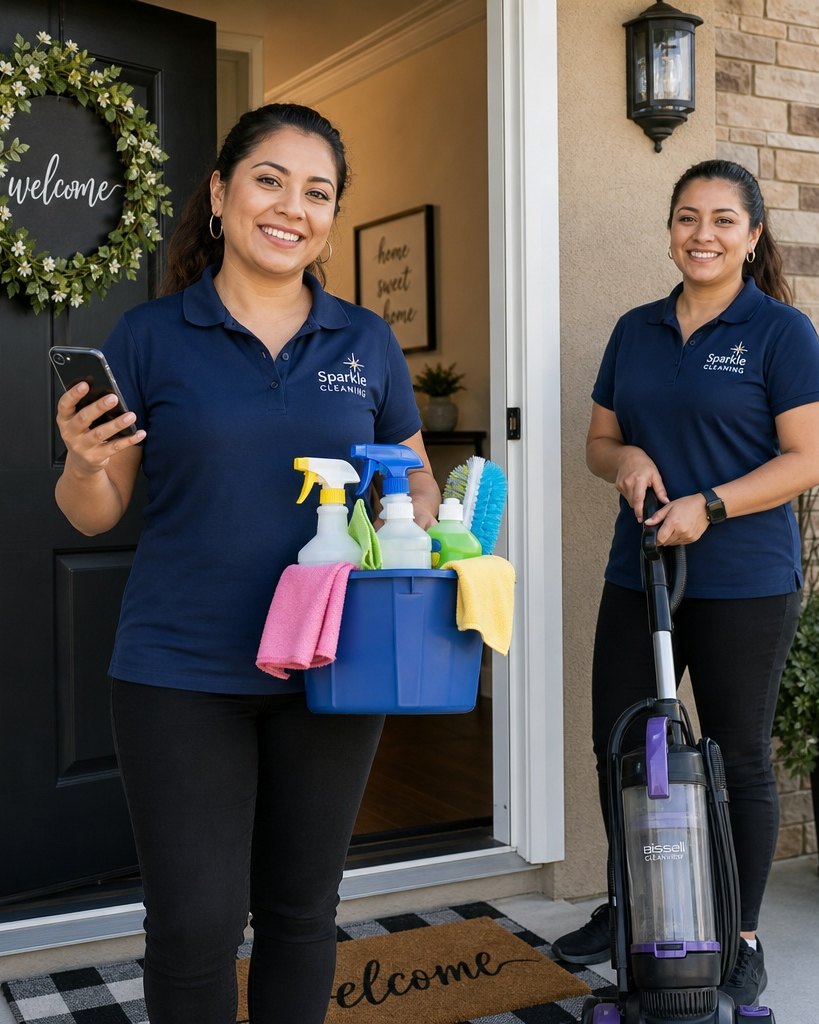
Six years in. Eleven regular clients, two people on the crew. She is good at cleaning, good with customers, and works harder than anyone she employs.

She still has no idea what a job costs her to do.

Not because she is careless. Because nobody ever taught her. So when the bank asked for a profit and loss statement, she did not have one. No statement, no loan. No loan, no second van. No second van, no contract — the one that would have doubled the business.

She is not unusual. She is the normal case.
The thing holding most small businesses back is not effort, and it is not care. It is that nobody ever showed them what good looks like, or which lever to pull.

A business degree is, in practice, four years of learning which numbers matter and what to do when they move. Most people running a crew of three will never have that, and they should not need it.

So we put the numbers, and the answers, in the app.

What it does

It does the work, not just the record-keeping

Most software for small operators is a filing cabinet: you do the job, then you type it in twice. Our rule is the opposite — if the app could have worked out the answer, it does not ask you.

The schedule fills itself in

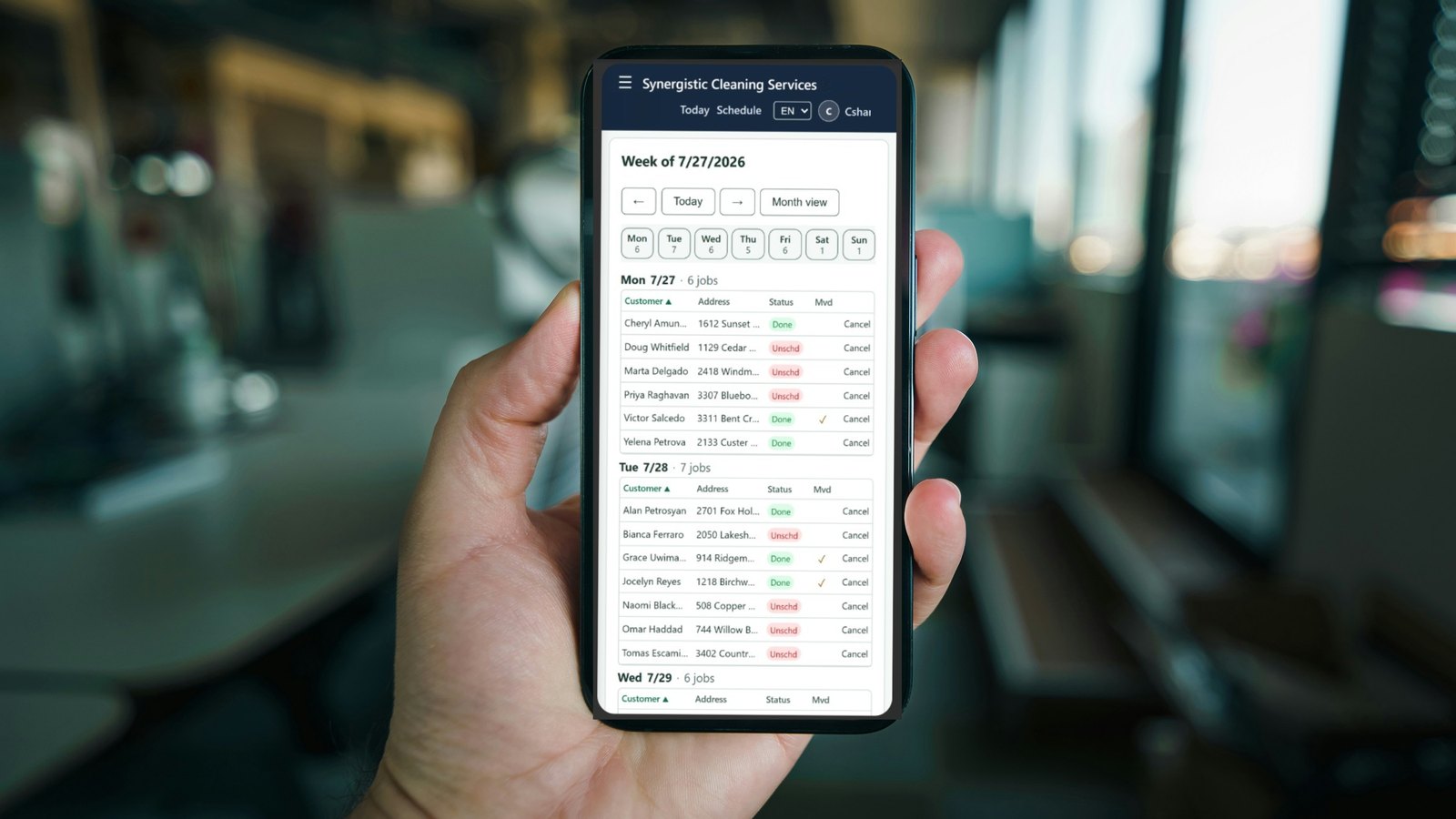
Recurring visits appear on the calendar without being re-entered. Your crew opens their phone and sees today: which house, what time, and the checklist room by room.

Clock in becomes the time card

A cleaner taps Clock in. The app records the time, the place and whose property it is. Those hours add up into a weekly time card you approve for the whole crew at once, and the payroll figures come off it.

Photograph a receipt and it files itself

The app reads the vendor, date, total and line items off the photo and posts it to the right account. Supplies land in your stock count. If it cannot read something it says so instead of guessing.

A finished job becomes an invoice

Email, text or print — with your business name on it. You see what's unpaid and how old it is without keeping a list anywhere, and a reminder goes out with one tap.

The driving gets counted

Mileage between jobs is worked out for you — no logbook. It also prices the time your crew spends in the van, which is the number almost no owner has ever seen.

It tells you what needs you today

One list, across the whole app, ranked by the money attached: invoices going unpaid, bills about to leave, anything making the books wrong. Not thirty pages each flagging their own priorities — one answer to "what should I do first?", and a link straight to the record that needs fixing.

Bills you owe, before they bite

What suppliers are charging you and when it leaves the bank. It also notices a bill that hasn't arrived — the month's costs are understated until it does, and an absent thing is the easiest kind to miss.

The customer signs the estimate

Send a quote by text or email; they read it and sign on their phone. The terms they agreed to are frozen with the signature, so changing your standard wording later never alters what somebody already signed.

Everything on one phone, no app store

It opens in a browser and installs to the home screen like an app. The icon carries your company's name, not ours — included from the free tier.

Run it from the job

You are on site, not at a desk

Most owners in this trade still work. You are in someone's kitchen with a mop in your hand, and you are also the scheduler, the payroll clerk and the person who chases money. All of that happens on the phone in your pocket, while it is happening — not on Sunday night at the kitchen table.

Move a job between houses

A customer cancels while you're on the drive. Reschedule her, hand the slot to someone else, and their phone shows the new address and its checklist — before you've put the van in gear.

See who is actually working

Who clocked in, where, and how long they've been at that property. If nobody has started the 10 o'clock, you know at five past ten, not on Friday when the time cards come in.

Bill it before you leave

Finish the job, turn it into an invoice, and send it by text or email from the doorstep. Chase an old one with a tap while you're sitting in the van. Getting paid stops being a Sunday task and becomes part of the job.

The receipt never reaches the glovebox

Photograph it in the supply-store car park. It's read, filed to the right account and added to your stock before you've started the engine.

Answer the customer standing in front of you

What we last did here, what she pays, whether she still owes for March, what a quote for the extra room should be. All of it in your hand while she's asking.

Message the crew where they'll read it

One message to everyone, or to whoever is on that job, on the same screen they're already using for their day. Not a group text you have to keep rebuilding.

Coming next — the clock runs itself

Being straight with you: this one is in build, not released. Everything else on this page works today; this doesn't yet.

An app on the App Store and Google Play that knows when your crew arrives at a property and when they leave, and writes the time card from that — either job by job, or from the first job of the day to the last. No tapping, so nothing is forgotten and no payroll hour is in dispute. Where an employee's profile is set for it, the miles between those jobs are recorded the same way, with no logbook.

The browser version isn't going anywhere, and nobody will be made to install anything.

Same app, same login, on a phone or on a laptop. It installs to your home screen, so there is nothing to download and nothing to keep updated.

The one that changes things

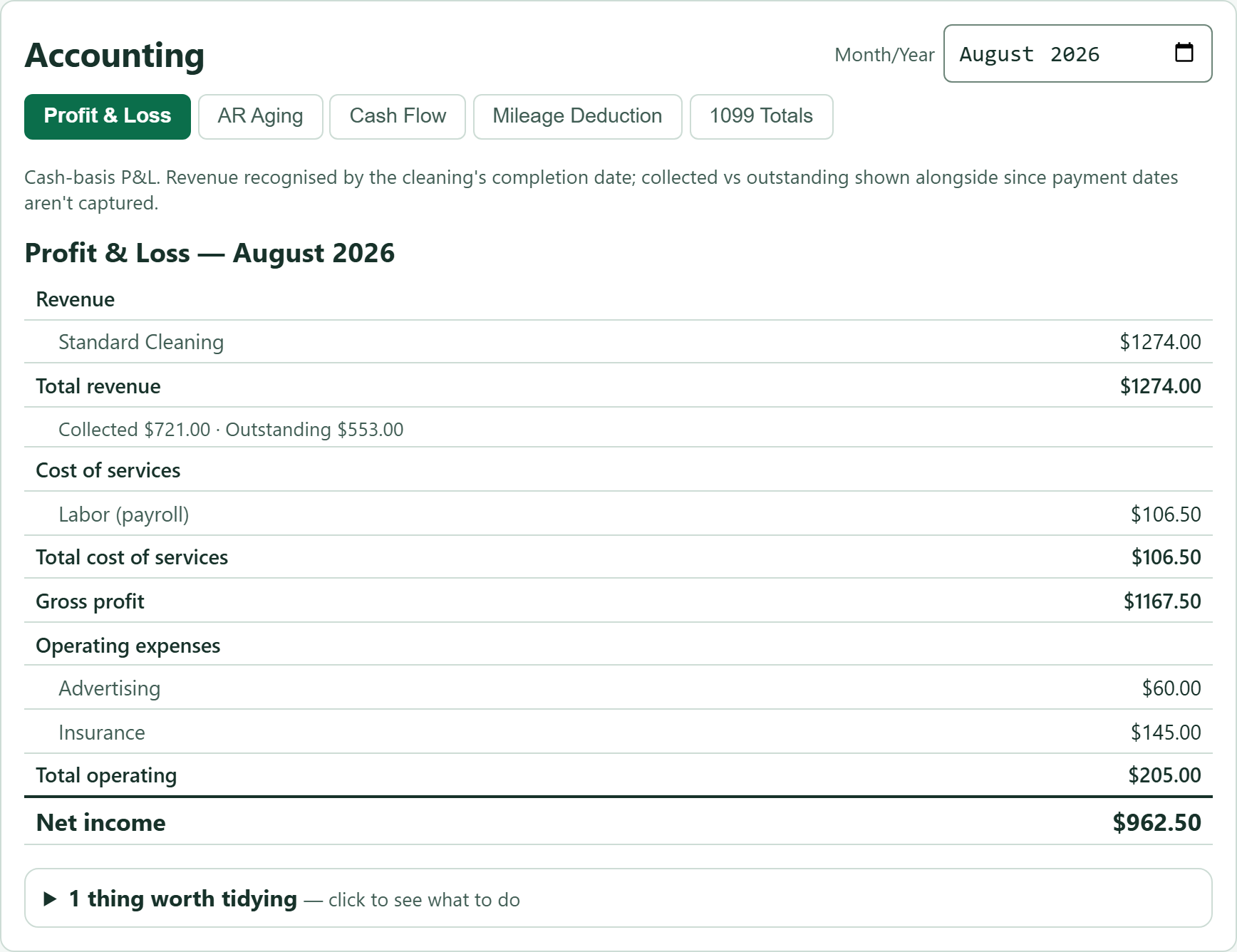
It produces exactly what a bank asks for

This is the part that turns a good year into a second van. The paperwork a loan officer wants, kept current and in your business's name, ready to print:

  • Profit and loss — what came in, what went out, what is left
  • Balance sheet — what you own against what you owe
  • Cash flow summary — the money that actually moved
  • Accounts receivable aging — who owes you, and for how long
  • Chart of accounts — named for your trade, not a generic template
Synergistic Cleaning Services MoneyAccounting

Profit & loss — year to date

Revenue$94,120
Wages & payroll(41,380)
Supplies(6,240)
Vehicle & fuel(7,905)
Gross profit$38,595
Insurance, phone, admin(9,470)
Net profit$29,125
Ready to print, in your business's name The same figures feed the balance sheet, the cash flow summary and the aging list.

Representation of the profit and loss statement. Figures are illustrative.

And we tell you where it stops

This is not a double-entry ledger, and we say so plainly. The balance sheet marks which lines the app worked out and which are balances you keep yourself.

When the two sides don't agree, it says so and explains why. A statement that always balances because it was built to balance tells you nothing. One that says "you are nine thousand short because last year's retained earnings were never entered" tells you exactly what to do next.

We produce the numbers your accountant needs — including a year-end package that puts the whole year in one place. We do not file your taxes, and we do not move your payroll money.

The Advisor

An experienced adviser to point out what's worth fixing this month

Almost everyone wants to do well, and most were simply never shown how. Each month the Advisor — the AI side of the app — reads your own figures and points out the two or three things worth acting on: the number that prompted it, what to do, and what to expect. Then next month it checks whether the number actually moved.

Sky5 Toolkit TodayMoneyInsight

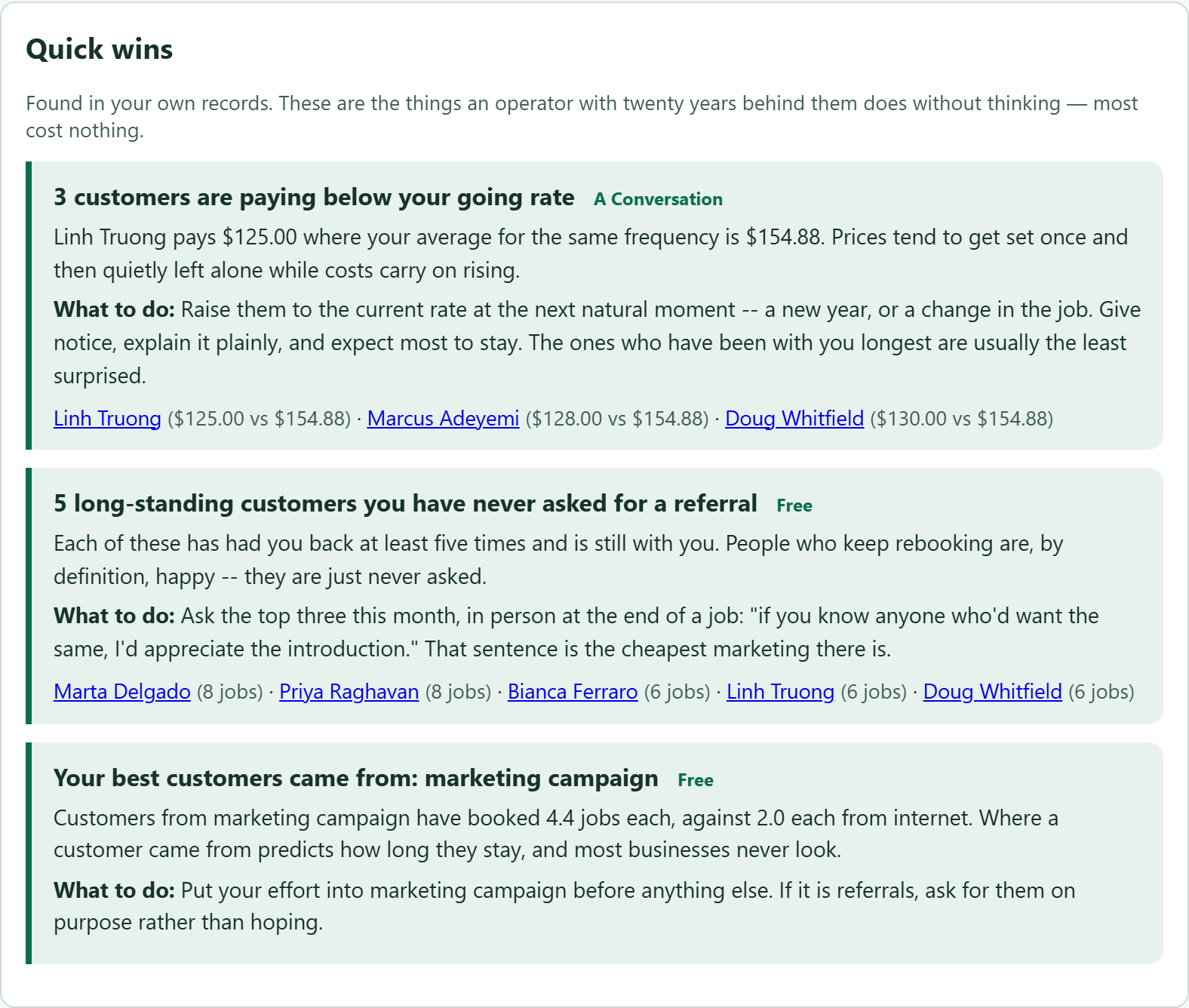
Quick wins — found in your own records

3 customers you haven't seen in a while These were regulars. Ring them — ask if everything was alright last time. Free
You already work 3 homes on Cedar Ridge Post a card through the doors either side. Mention you're already on the street. A walk
7 customers are paying below your going rate Karen pays $90 where your average is $148. Raise it at the next natural moment. A conversation

Representation of the app's Quick wins panel. The free things first — no budget, no vendor, no campaign.

Sky5 Toolkit InsightAdvisor

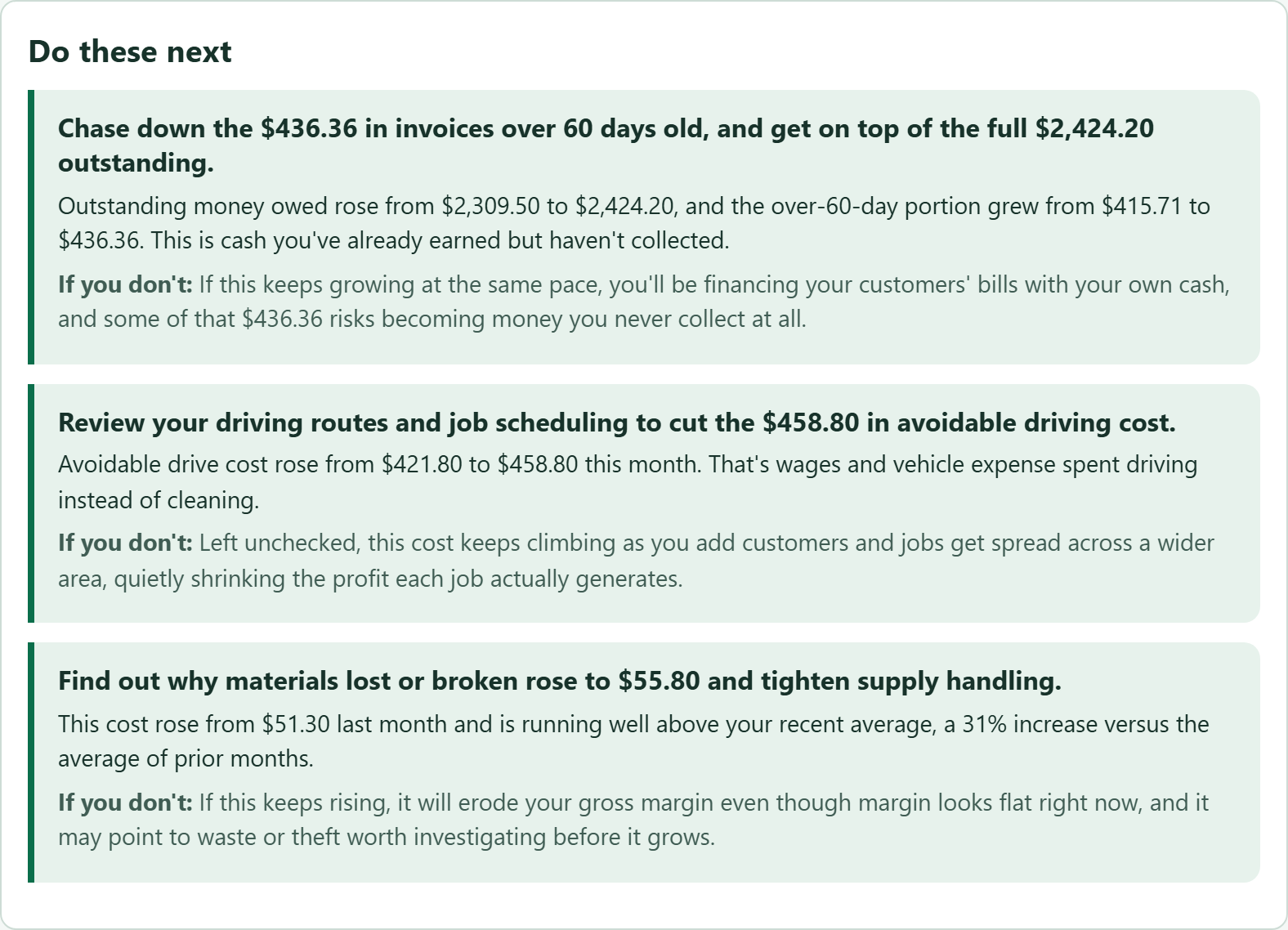
July — the month in one line

Revenue and profit both grew, but overdue invoices and wasted driving are quietly draining it.

Revenue$7,820  +5.0%
Gross margin (what's left after the job's own costs)54.1%
Owed over 60 days$436  +8.4%
Avoidable driving$459
Chase the invoices over 60 days old If this money doesn't come in you're paying wages out of cash you don't have yet, even though the business looks profitable on paper.

Representation of the monthly review. Figures are illustrative, drawn with the app's own design.

Why you can trust the numbers in it

Hand a computer a pile of figures and it will happily produce confident, generic advice. Consider raising prices. That is worse than useless.

So the app calculates every figure itself, in code we can test. The Advisor is only allowed to explain those findings — every number it quotes is checked against your records before you see it. It cannot invent one.

And when there isn't enough history to be sure, it says "two readings is not a trend" instead of guessing.

The goal is an owner with very little time and no formal business training having the tools to run like a professionally structured company — without four years of college — and the information to walk into a bank and ask for a loan.

English and Spanish

Your crew reads their work in the language they think in

Not a translation setting bolted on at the end. Language is chosen per person, so one shared phone shows English to the supervisor and Spanish to the cleaner who borrows it next. Jobs, checklists, time cards and documents to sign — all of it.

The whole point of this product is helping people who were never given the tools. Leaving some of them out over language would be a strange way to go about it.

Para dueños y equipos que trabajan en español

Programación de trabajos, entrada y salida por teléfono, hojas de horas, facturas y estados financieros para el banco. Cada persona elige su idioma: inglés o español.

Software para negocios de limpieza, jardinería, piscinas y control de plagas — hecho para dueños sin formación contable.

Founding businesses

The first 10 businesses get everything free for six months

Every module — scheduling, crew, invoicing, the bank pack, materials and the Advisor. Not a stripped-down trial. In exchange we want your honest opinion of it, because this software is new and you would be taking a chance on it.

Your first 6 months are free. We'll get in touch a month before that ends to agree what happens next — nothing is ever charged automatically.

Ten is a number one person can look after properly, so the spots are chosen by hand rather than first-come. If they are gone, the free tier below is still there and still free.

Ask about a founding spot

Pricing

Free to start. Add a piece when the business needs it.

Start with the free tier and stay there as long as it suits you. Each module adds on top of the ones you already have, so you are only ever paying for what is switched on.

Sky5 Toolkit module prices per month, paid annually
ModuleWhat it gives youPer month
① Jobs Customers, the schedule, and the crew's day on their phone with room-by-room checklists free to 10
then $9.95
② Crew Clock in and out with location, weekly time cards, payroll figures, mileage, documents to sign +$19.95
1–5 staff, +$0.99 each after
③ Money Estimates a customer signs, invoices, payment reminders, receipt scanning, cash receipts, bills owed to suppliers, and the bank pack — profit and loss, balance sheet, cash flow, AR aging, and a year-end package for your accountant +$29.95
④ Advisor Goals, monthly trends, and the review that tells you what to do next +$39.95
Materials (add-on) Stock, equipment register, who is holding what, what gets used up +$24.95
Marketing (add-on) Campaigns, mail-outs, and where your customers came from +$9.95
Everything All four tiers plus both add-ons — save 26% $99.95
itemised: $134.70

What most businesses actually pay

Almost nobody buys everything. The usual path looks like this:

Just starting — 10 customers or fewerfree
On your own, growing$9.95
First employees$29.90
Running a real business — scheduling, payroll and the bank pack$59.85
Everything, including the Advisor$99.95

A cleaning business turning over $150,000 a year pays about $60 a month at that fourth rung. That is roughly half of one percent of what comes in, for the schedule, the payroll and books a bank will accept.

  • Prices are per month, paid annually. Paying monthly instead adds 15%.
  • The tiers stack in order. Invoicing depends on jobs and customers, so Money needs Crew and Jobs underneath it. Materials and Marketing stand on their own and can be added at any point.
  • Add-ons taken mid-term are prorated to the end of that term.
  • Above five employees, add $0.99 per person per month at whichever tier you are on.
  • Your own business name and logo on the app and on the phone icon — included from the free tier, not an upsell.

Fair questions

The things people ask before they sign up

"I already use a spreadsheet."

A spreadsheet records what you already did — after you type it in. This does the recording for you, and a spreadsheet cannot hand a bank a profit and loss statement in your business's name.

"I'm not technical."

If the app could have worked something out, it doesn't ask you. Labels use plain words, not accounting terms. It opens in a browser — nothing to download, nothing to update.

"My crew won't use it."

Their screen shows one thing: today. Jobs, address, checklist, and a clock-in button — in English or Spanish, their choice. And the icon on their phone says your company, which is a reason to care about it.

"What happens to my data if I stop paying?"

It's yours. Export your customers, jobs, invoices and accounts whenever you want. And nothing is ever charged automatically — there is a conversation first.

"Is this instead of QuickBooks?"

No, and it doesn't pretend to be. It isn't a general ledger and it doesn't file your taxes. It produces the statements a bank or an accountant asks for.

"How new is this?"

New, and we'd rather say so. It runs a real cleaning business every day — the founder's own — which is why it does the awkward things right. There is no wall of customer logos here because there is no wall of customers yet.

Who it's for

Built for four trades on purpose

The dividing line is the shape of the business, not the label: a small crew, going out to the same properties on a repeating schedule, invoiced per visit, working to a checklist.

House & office cleaning

Recurring rounds, per-visit invoicing, supplies used up on the job. Scheduling and invoicing software for a small cleaning business.

Landscaping & lawn care

Seasonal routes, equipment moving between crews, weather that rearranges the week.

Pool cleaning & maintenance

Fixed weekly rounds, chemicals logged per property, routes that have to be tight.

Pest control

Scheduled treatments, materials recorded per visit, a service history you can produce.

Who it isn't for — worth saying plainly

Call-out work. Plumbing, electrical, handyman, painting. A call comes in, you diagnose, quote, and fix it once. That needs a dispatch board and parts with markup. It's a different product and we haven't built it.

Anyone happy with their bookkeeper and their accounting system. If that's working, keep it. We're not trying to win you over.

Start on the free tier

Ten customers or fewer costs nothing, forever — not a trial, and no card to start. Add your crew, your invoicing or your books whenever the business is ready for them.

Or ask about one of the ten founding spots: everything, free for six months.

Get in touch Sign in